Architecture Overview
The section describes basic information needed to install Flowable Platform. For the setup including the chat capabilities and the additional adapter add-ons like WhatsApp and WeChat, see the Chat Only Installation Topics section.
Architecture
Flowable Platform is a highly dynamic case management application and also allows real time communication between its users.
It is based on commonly used application frameworks, components and protocols such as:
- Java
- Spring Boot
- React
- Elasticsearch
- HTTP / HTTPS
- REST
- JDBC
- Liquibase
- Content Storage (e.g. S3, Azure, Filesystem)
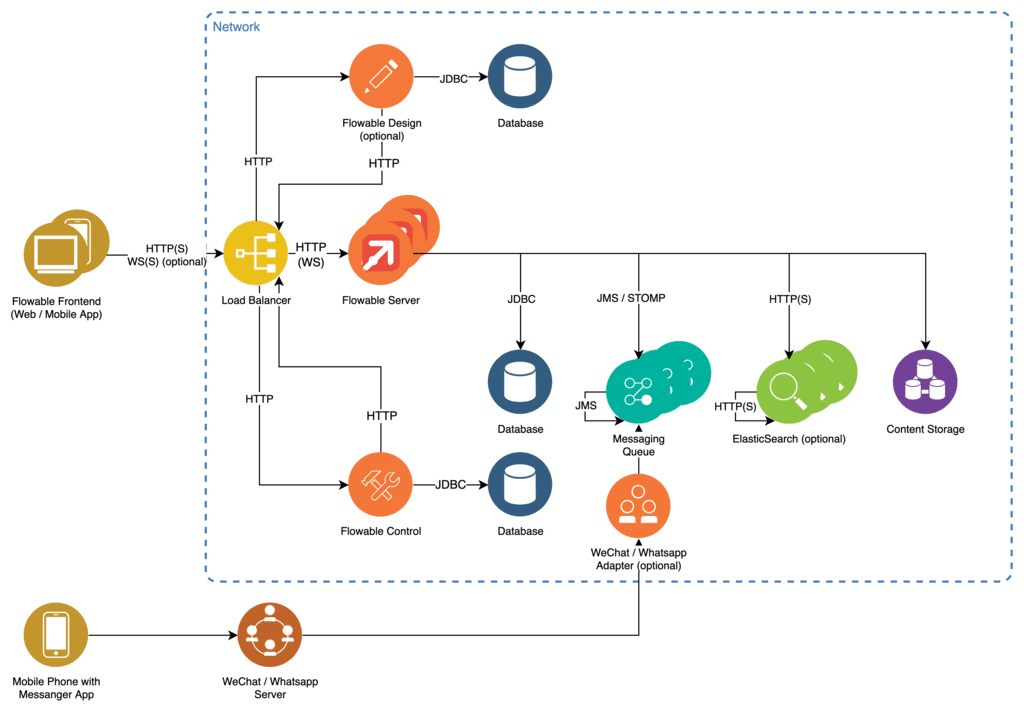
The Flowable Server is designed as a Java based Spring Boot web application providing its functionality over a stateless REST API.
The Flowable Front End is a decoupled JavaScript browser application written in React communicating with the servers REST API over HTTP(S) and WebSockets with the help of SockJS. It can be served directly by the Flowable Server or by any HTTP server.
Persistence is provided using a JDBC interface allowing for connection to the most commonly used database implementations. Database initialization and migration are automatically handled by the server by using Liquibase. It is possible, but not mandatory, to use the same database for all Flowable applications. The communication between the Flowable application happens through the Flowable REST APIs.
To ensure high performance query and reporting of data a clusterable index server based on Elasticsearch is used in addition to the database.
Connection to additional communication adapters and stateless multi node clustering can be achieved with the help of a messaging queue. See the Chat Only Installation Topics for details.
Reverse proxy functions as well as load balancing between clustered instances of the Flowable Server are handled by any WebSocket capable load balancer such as NGINX.
Flowable Design is used to create the application models (BPMN, CMMN, DMN, Forms) and deploy them bundled as apps to the Flowable Work server.
Flowable Control provides information about runtime state of processes, cases, tasks, etc.
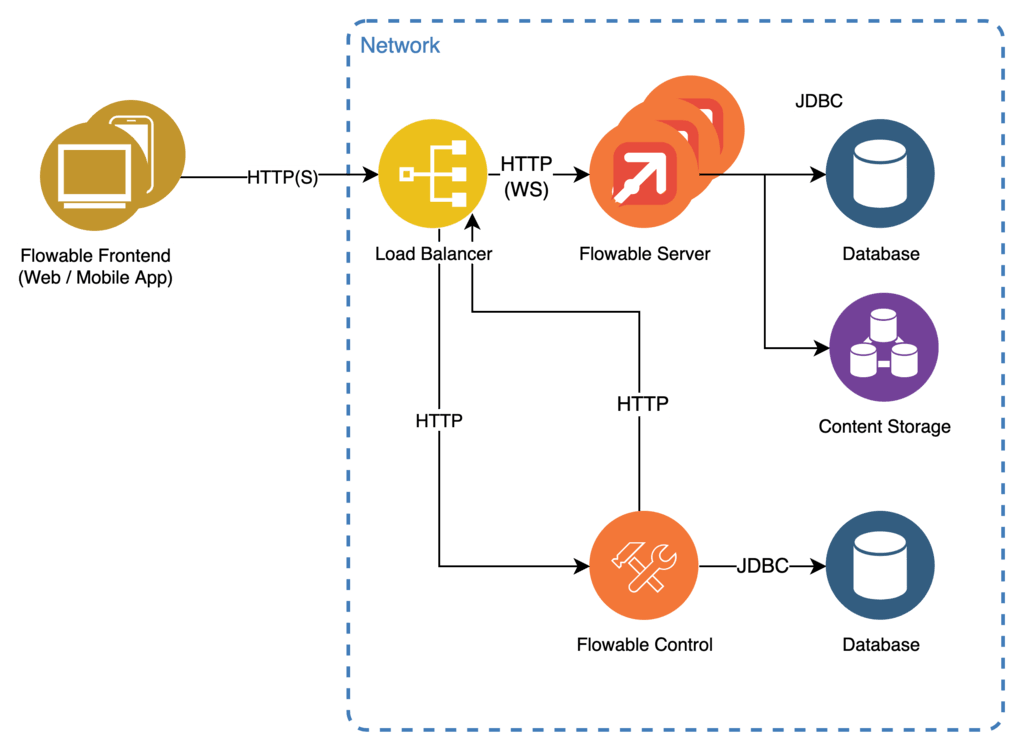
For lightweight use-cases it is possible to only use the required dependencies. A simplified setup could look like this: