Unstructured data classification
Introduction
A lot of the information that flows into a business application arrives as unstructured data — free-form content with no predefined fields. Email is the most common example: a message body together with one or more attachments, in whatever shape the sender chose.
Flowable can turn this unstructured content into structured, classified data automatically. When an email is received through an email inbound channel, the email content and each of its attachments are stored as content items and classified — each one is assigned a content model type and, when an AI agent is used, can have its data extracted as well.
The email body and the attachments are classified separately, because they are usually different kinds of document: the email itself might be a customer request while an attachment is an invoice or an ID document, so each can be routed to its own content model.
This runs on the channel — no form and no user interaction are involved. It is complementary to the form-driven Document analysis, which classifies and extracts data from documents a user uploads into a form.
In Flowable Design
Two things need to be configured.
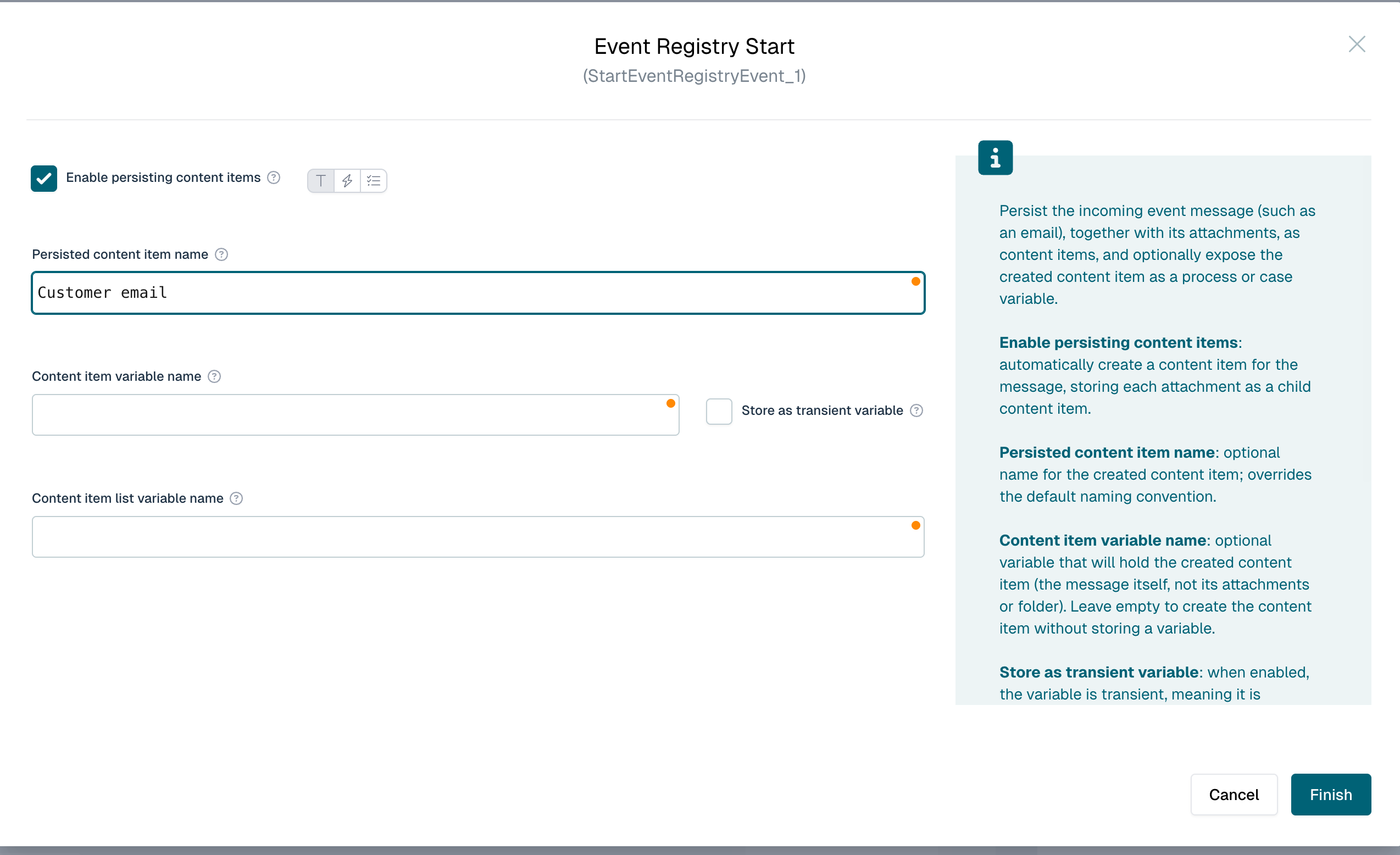
Persist the email and attachments as content items. On the event registry start event of your process or case, enable Enable persisting content items. Flowable then creates a content item for the email (an .eml file) and one per attachment for every incoming event, grouped in a folder that is linked to the instance. Optionally set Persisted content item name to override the default name of the email content item. Both properties are available on process and case start events.
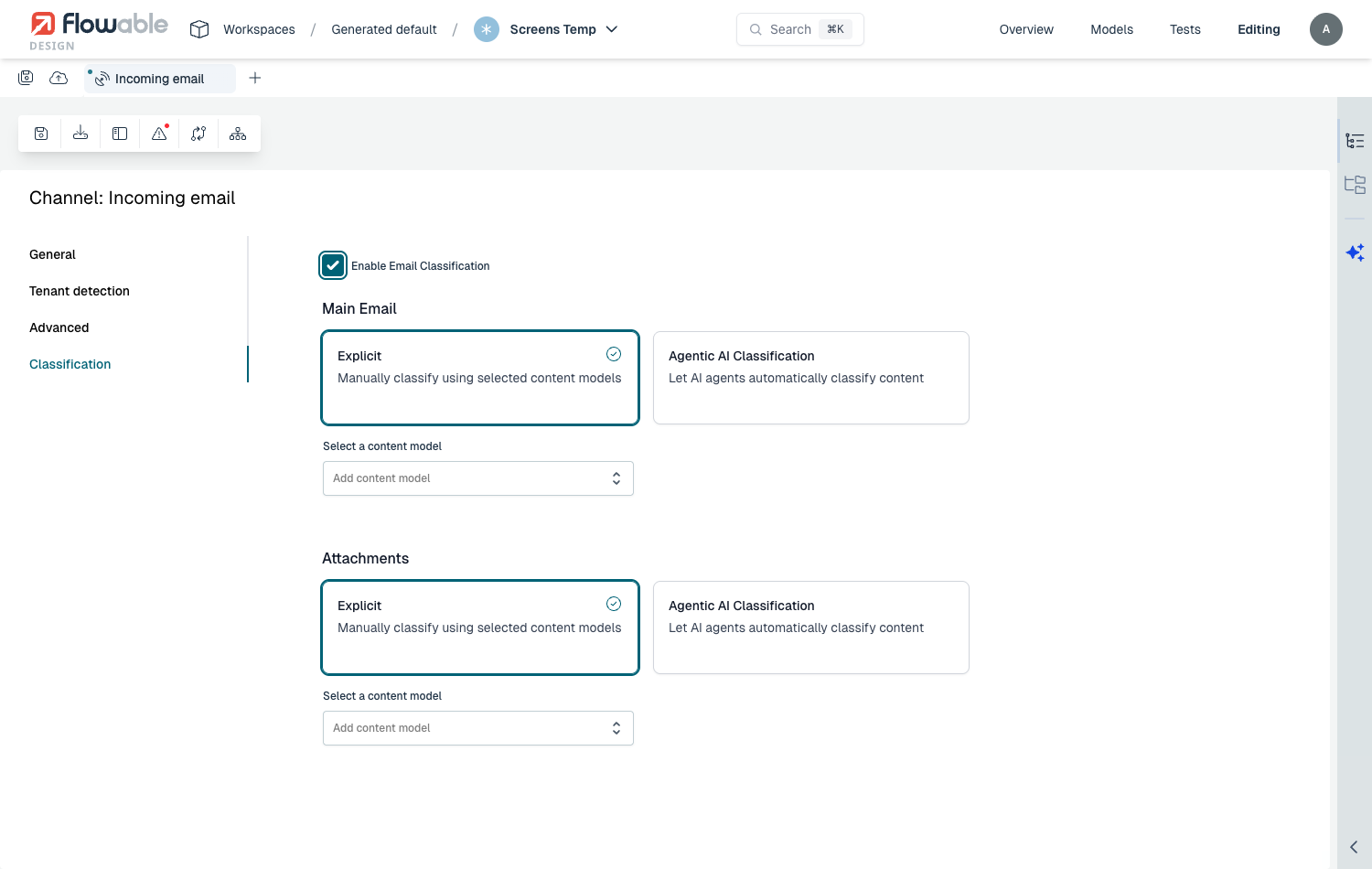
Configure classification on the channel. On the email inbound channel, open the Classification tab and switch on Enable Email Classification. You then configure the Main Email and the Attachments independently. For each, choose the mode:
- Explicit — manually classify using a selected content model. Every email, or every attachment, is assigned that content model type.
- Agentic AI Classification — let a Document Agent classify the content automatically, determining the most suitable content model type and, when the agent is configured for data extraction, also extracting the structured metadata.
 note
noteClassification is applied to the content items that are created for the email, so Enable persisting content items must be switched on. Without it, no content items are created and there is nothing to classify.
In Flowable Work
No user action is required. When an email arrives on the channel:
- a folder is created for the email and attached to the started or correlated instance;
- the email is stored as a content item, with a separate content item for each attachment;
- each content item is classified according to the channel configuration — the email body and every attachment separately — so each gets its detected content model type; and
- when agentic classification with data extraction is used, the extracted values are stored as metadata on the content item.
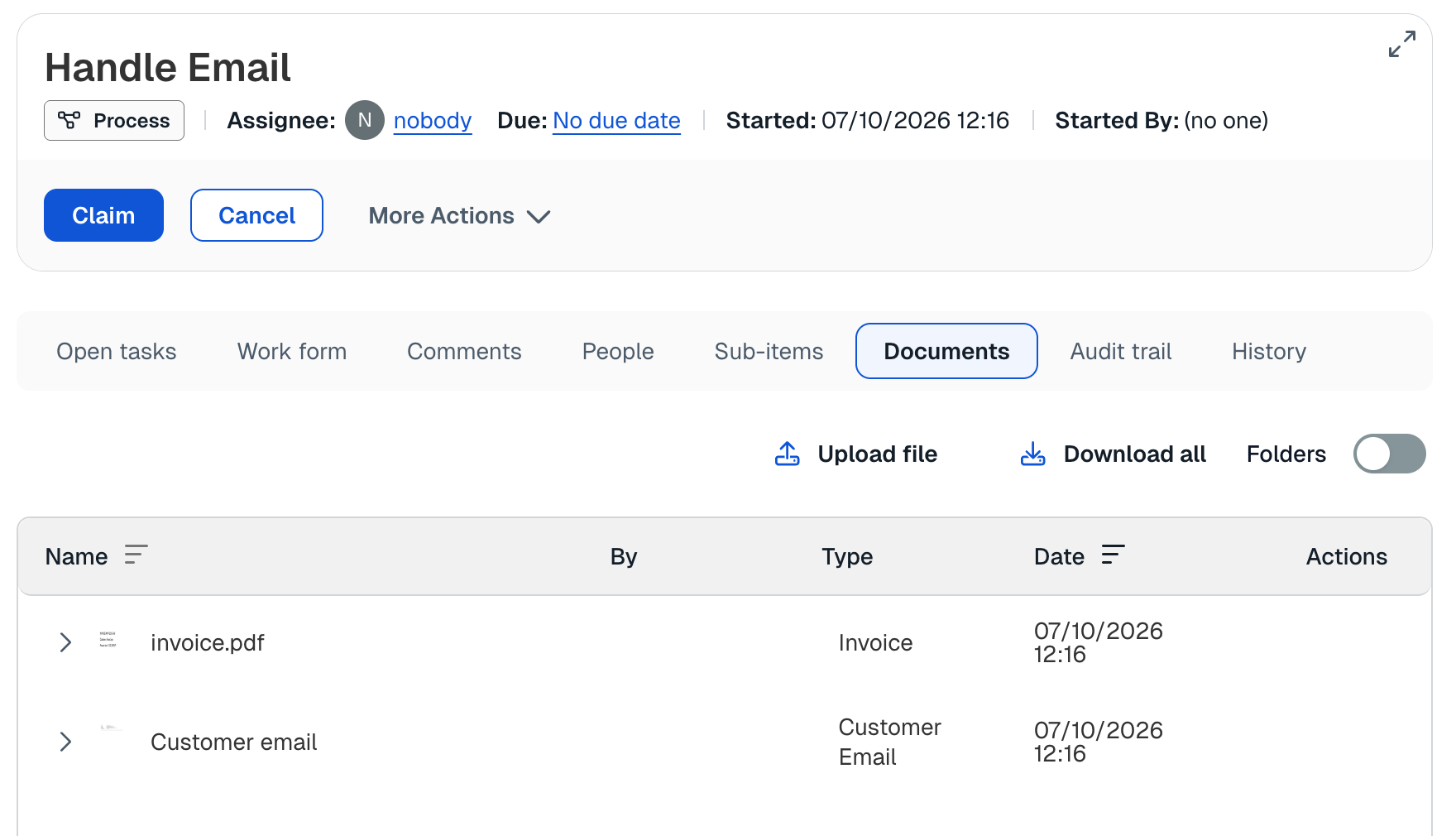
The email and its attachments appear in the Documents panel of the instance, each showing its detected type and extracted data, ready to be used in forms, expressions and the case or process logic.
Related pages
- Document Analysis – form-driven classification and data extraction of uploaded documents.
- Email Inbound Channel – receiving emails and persisting them as content items.
- Document Agent reference – the document agent used for agentic classification and data extraction.
- Setup AI in Flowable – enabling and configuring the runtime AI features.