Camel Inbound Channel
The Camel inbound channel uses Apache Camel components to receive events from systems that are not covered by the built-in channel implementations. Instead of a messaging broker, the channel polls (or listens to) a Camel endpoint and turns every message it picks up into an event that is handed to the regular inbound pipeline.
The following Camel channel types are available out of the box:
- File - poll a directory on the Flowable server for incoming files
- FTP - poll a directory on a remote FTP server
- SFTP - poll a directory on a remote SFTP server
- SQL - poll rows from a database table
- Azure Service Bus - receive messages from an Azure Service Bus queue or topic
- Custom - provide a raw Camel endpoint URI for any other Camel component
Enabling the Camel integration
The Camel integration is disabled by default. To enable it, set the following property in the application.properties configuration file:
flowable.eventregistry.camel.enabled=true
 note
noteThe Camel dependencies are added by default when using Flowable Work/Engage, so no further action is needed there. The relevant Camel component is only required for the channel type you actually use: camel-file for File, camel-ftp for FTP and SFTP, camel-sql for SQL, and the Flowable Azure Service Bus component for Azure Service Bus.
If you're building your own Spring Boot project with Flowable dependencies, add the flowable-platform-camel dependency (together with the Camel component starters for the types you need) to your pom.xml:
 <dependency>
   <groupId>com.flowable.platform</groupId>
   <artifactId>flowable-platform-camel</artifactId>
 </dependency>
Selecting a Camel channel type
In the channel model editor, set Inbound/Outbound to Inbound and the Implementation to Camel. A Type dropdown then appears in which the Camel channel type is selected.
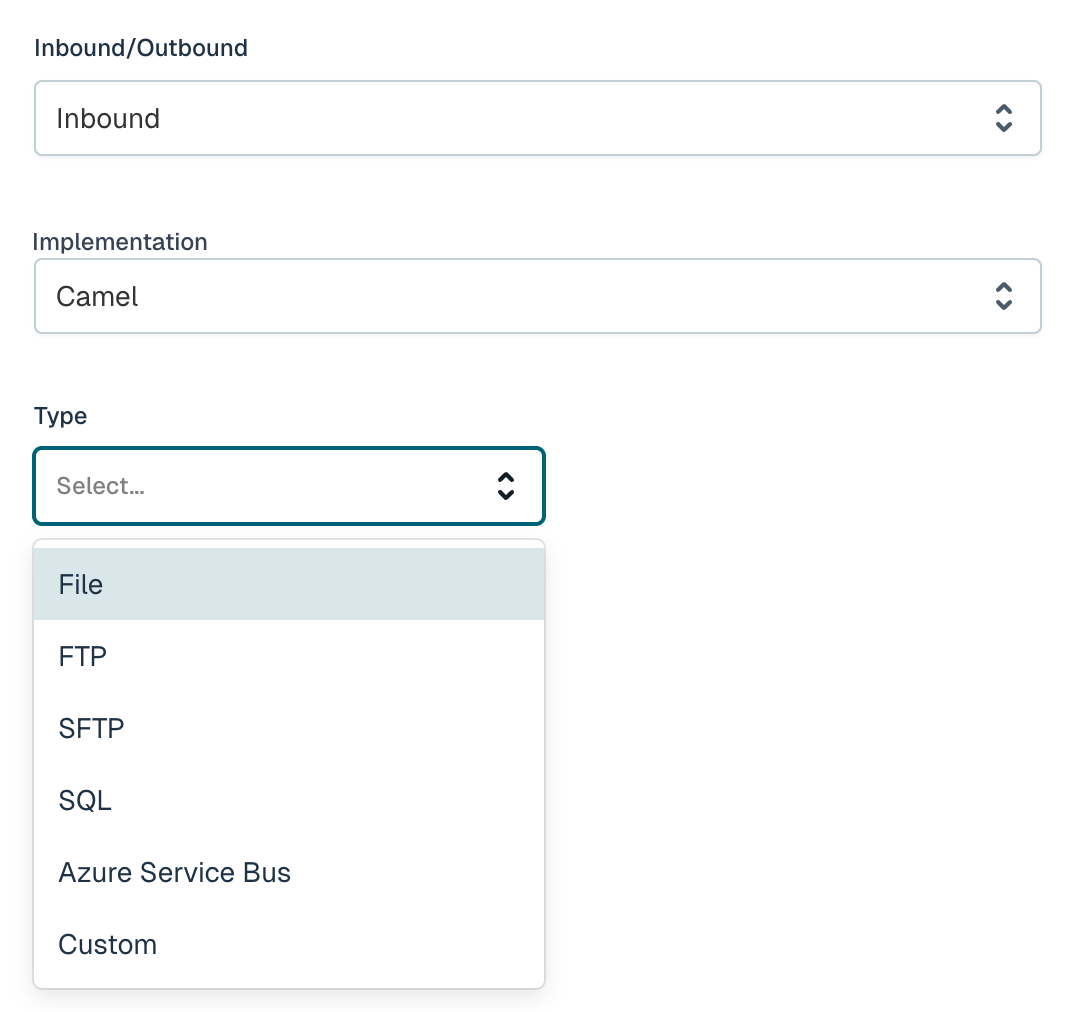
Selecting a type shows the fields that are relevant for that type. Behind the scenes, Flowable assembles a Camel consumer endpoint URI from these fields in the form <type>:<address>?<option>=<value>&..., so every field maps directly onto a Camel endpoint option. Fields marked with a red asterisk (*) are required.
File
Consumes files from a directory on the Flowable server. Each file that is picked up becomes a single event.
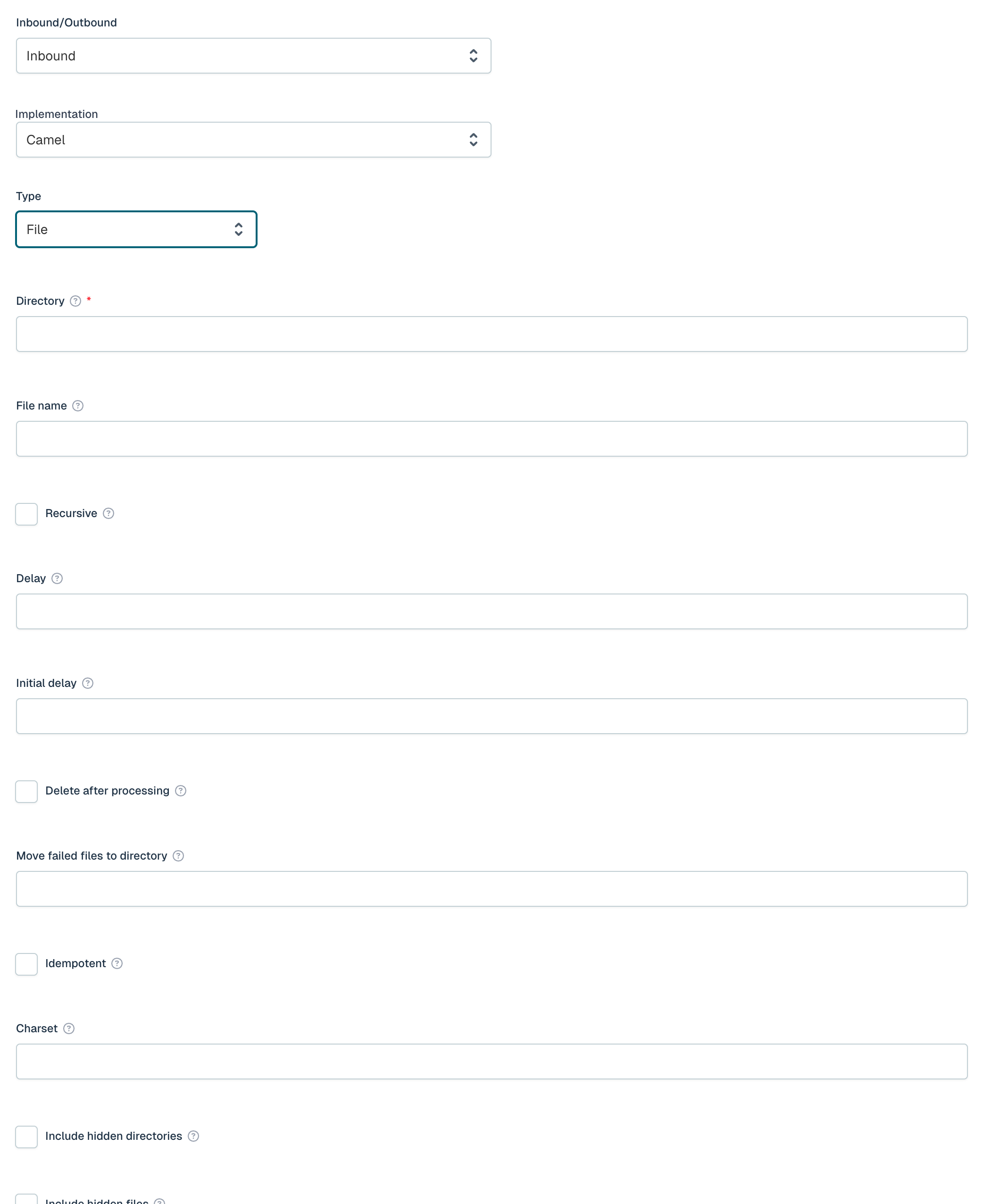
| Field | Required | Description |
|---|---|---|
| Directory | Yes | Base directory path to monitor for incoming files. |
| File name | No | Ant-style glob filter (e.g. *.xml, **/*.csv). |
| Recursive | No | Whether to scan subdirectories. |
| Delay | No | Milliseconds between directory polls. |
| Initial delay | No | Milliseconds to wait before starting to poll. |
| Delete after processing | No | Whether to delete files after successful processing. |
| Move failed files to directory | No | Directory for files that failed processing. |
| Idempotent | No | Skip already-processed files. |
| Charset | No | Encoding for file read/write. |
| Include hidden directories | No | Include dot-prefixed directories. |
| Include hidden files | No | Include dot-prefixed files. |
| Greedy | No | Rerun immediately if the previous poll found messages. |
FTP
Polls a directory on a remote FTP server.
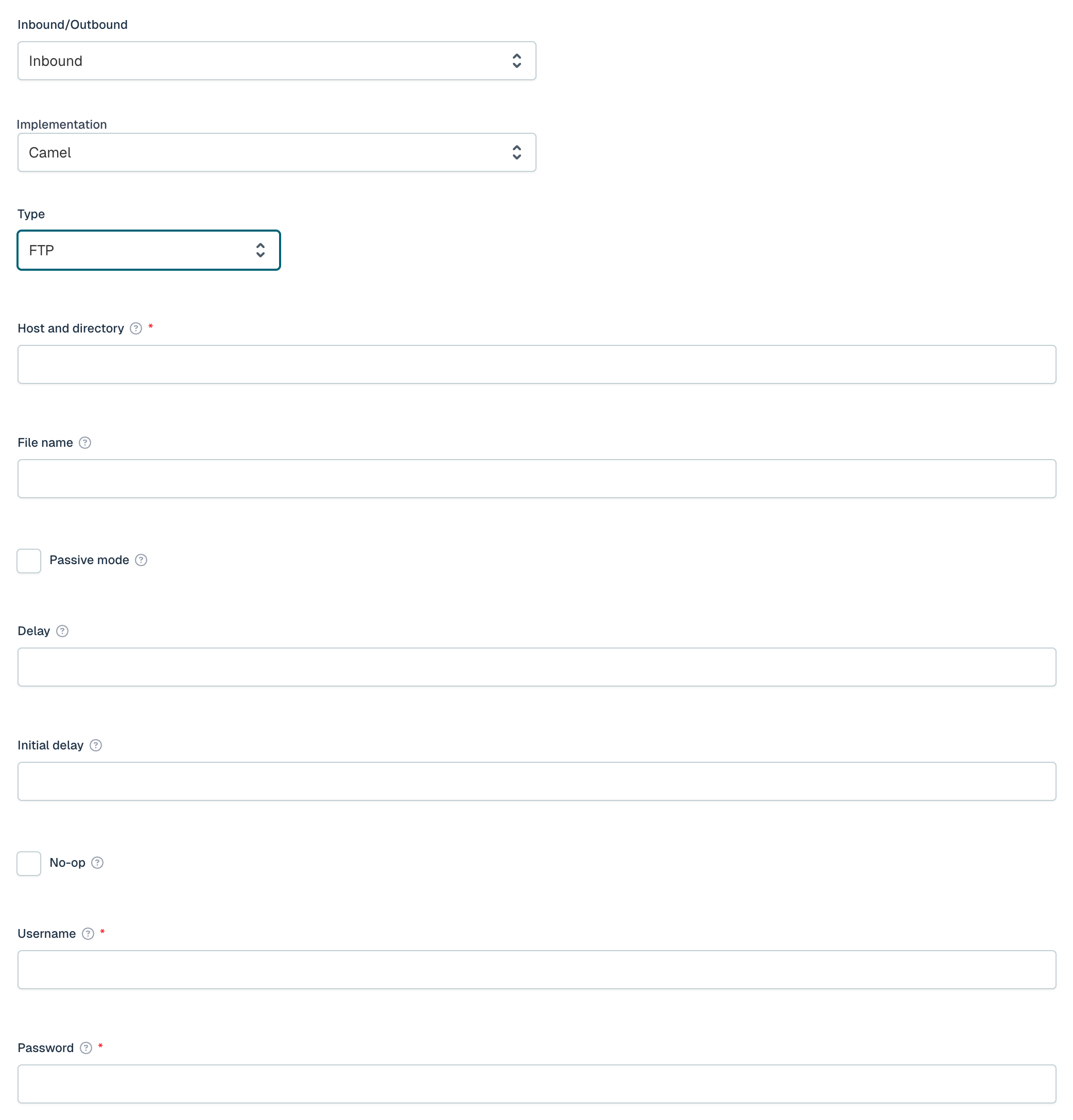
| Field | Required | Description |
|---|---|---|
| Host and directory | Yes | FTP server address in the format host:port/directory. |
| File name | No | Ant-style glob filter (e.g. *.xml, **/*.csv). |
| Passive mode | No | Use passive mode for FTP data transfers. |
| Delay | No | Milliseconds between directory polls. |
| Initial delay | No | Milliseconds to wait before starting to poll. |
| No-op | No | Do not move or delete files after processing. |
| Username | Yes | Username for FTP authentication. |
| Password | Yes | Password for FTP authentication. |
SFTP
Polls a directory on a remote SFTP server. Supports both password and private-key based authentication.
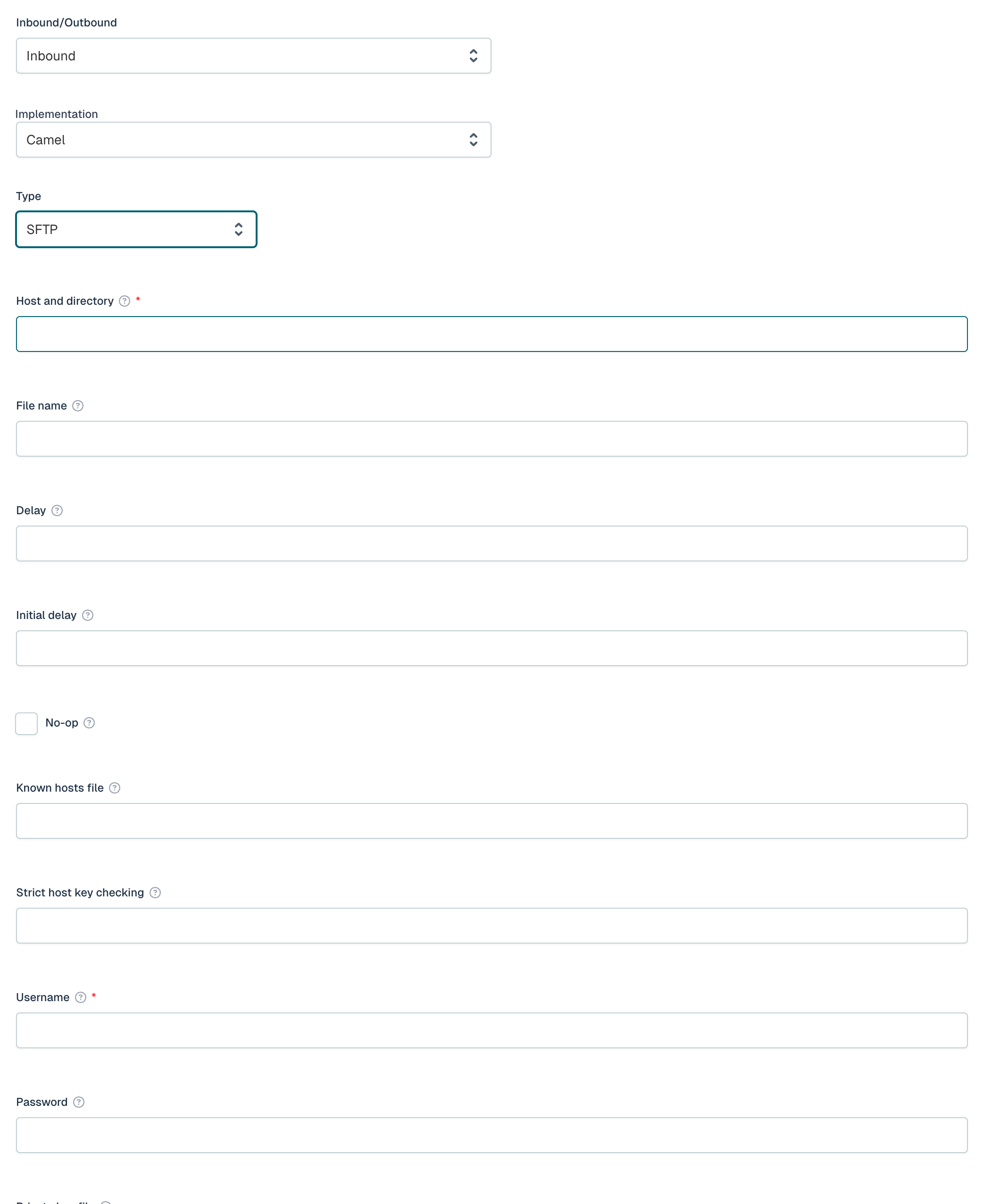
| Field | Required | Description |
|---|---|---|
| Host and directory | Yes | SFTP server address in the format host:port/directory. |
| File name | No | Ant-style glob filter (e.g. *.xml, **/*.csv). |
| Delay | No | Milliseconds between directory polls. |
| Initial delay | No | Milliseconds to wait before starting to poll. |
| No-op | No | Do not move or delete files after processing. |
| Known hosts file | No | Path to the known_hosts file for host key verification. |
| Strict host key checking | No | Host key checking mode: yes, no, or ask. |
| Username | Yes | Username for SFTP authentication. |
| Password | No | Password for SFTP authentication. |
| Private key file | No | Path to the private key file for key-based authentication. |
| Private key passphrase | No | Passphrase for the private key file. |
SQL
Polls rows from a database table. Each row that is returned becomes a single event.
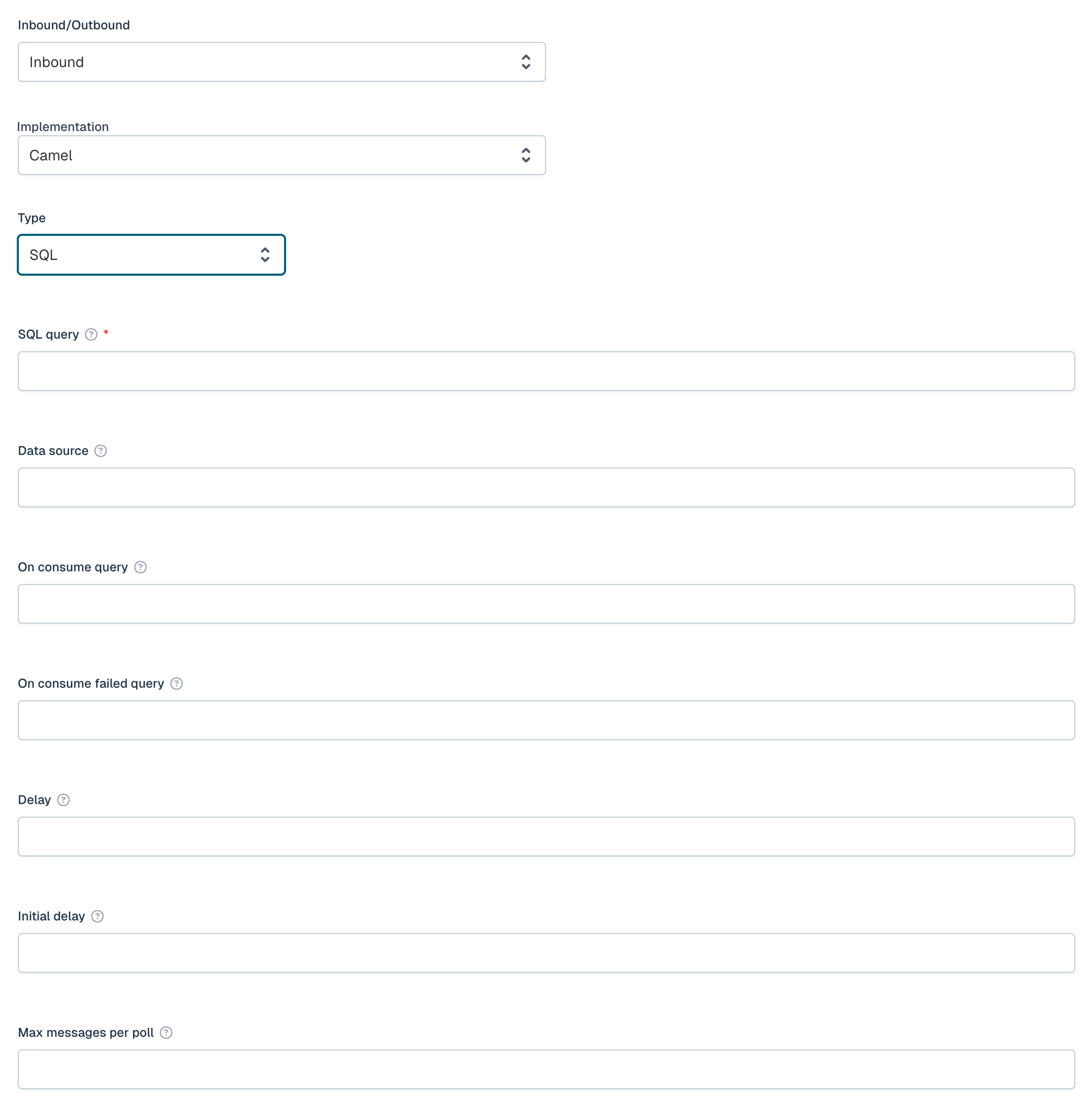
| Field | Required | Description |
|---|---|---|
| SQL query | Yes | SQL SELECT query to poll for new rows, e.g. SELECT * FROM events WHERE processed = false. |
| Data source | No | Spring bean reference for the data source, e.g. #dataSource. |
| On consume query | No | SQL query executed after each row is processed, e.g. UPDATE events SET processed = true WHERE id = :#ID. |
| On consume failed query | No | SQL query executed when row processing fails. |
| Delay | No | Milliseconds between poll cycles. |
| Initial delay | No | Milliseconds to wait before starting to poll. |
| Max messages per poll | No | Maximum number of rows to process per poll cycle. |
Azure Service Bus
Receives messages from an Azure Service Bus queue or topic subscription. Flowable ships a lightweight Azure Service Bus component that communicates over AMQP 1.0, so the full Azure SDK is not required.
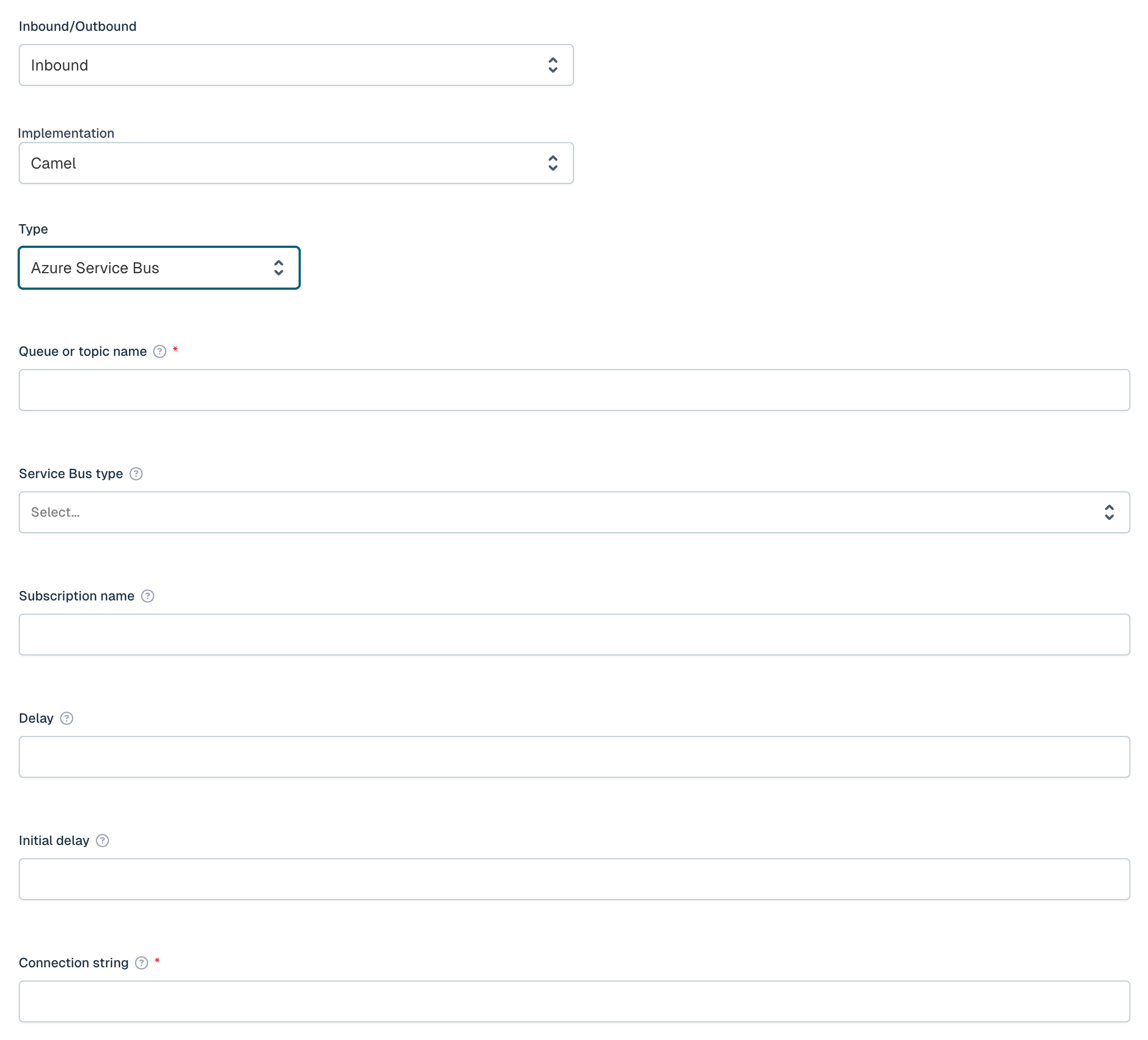
| Field | Required | Description |
|---|---|---|
| Queue or topic name | Yes | The name of the Azure Service Bus queue or topic. |
| Service Bus type | No | Whether to consume from a queue or a topic subscription (Queue or Topic). |
| Subscription name | No | The subscription name when consuming from a topic. |
| Delay | No | Milliseconds between poll cycles. |
| Initial delay | No | Milliseconds to wait before starting to poll. |
| Connection string | Yes | The connection string for the Azure Service Bus namespace. |
Custom source URI
If the channel type you need is not in the list, select Custom and provide the full Camel endpoint URI in the Source URI field (e.g. direct:start or timer:tick?period=5000). The channel then consumes from that endpoint directly, allowing any Camel component available on the classpath to be used.
Pipeline
The pipeline configuration is the same for all channels. See Inbound Pipeline for more details.