Testing a Service Registry
A service can be tested in two complementary ways:
- A Test Operation runs a single, ad hoc request against one operation — useful while you are building the service. It is available since 2025.1.01+.
- Unit tests capture reusable, repeatable checks for a service as part of the shared Model Testing framework, and are executed by Flowable Inspect. They are available since 2026.1.0+.
The following documentation applies to REST-based, MCP, expression and script services.
Test Operation
2025.1.01+Preconditions
To run a Test Operation before publishing, testing needs to be enabled. This can be done by setting the following properties for Flowable Design:
flowable.design.service-registry.enable-service-test=true
flowable.design.remote.idm-url= # URL to Flowable Work, e.g. http://localhost:8090
And since the testing is happening through Flowable Work, the following property for Flowable Work:
flowable.service-registry.enable-service-test=true
Running a Test Operation
To test a service model open a specific operation to test. In the operation, there is a tab 'Test Operation'.
Once the tab 'Test Operation' is selected, the input fields can be filled out.
 warning
In case you are testing a stateful API, the actual execution will be done. Please ensure that you only execute operations which you want to execute.
As soon as all required fields are filled out, the 'Test' button can be pressed.
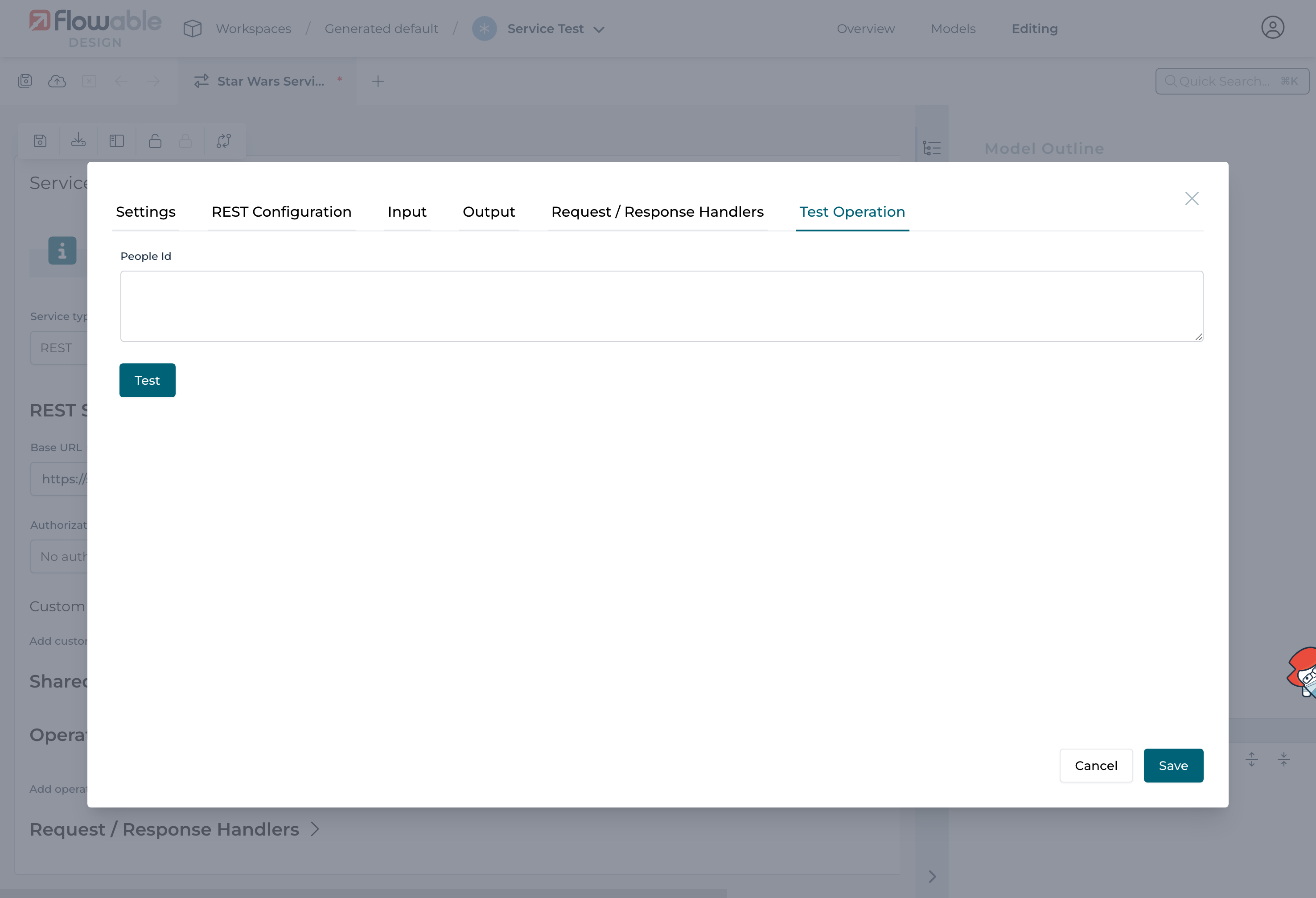
The request will be executed and the result including the mapping is displayed next:
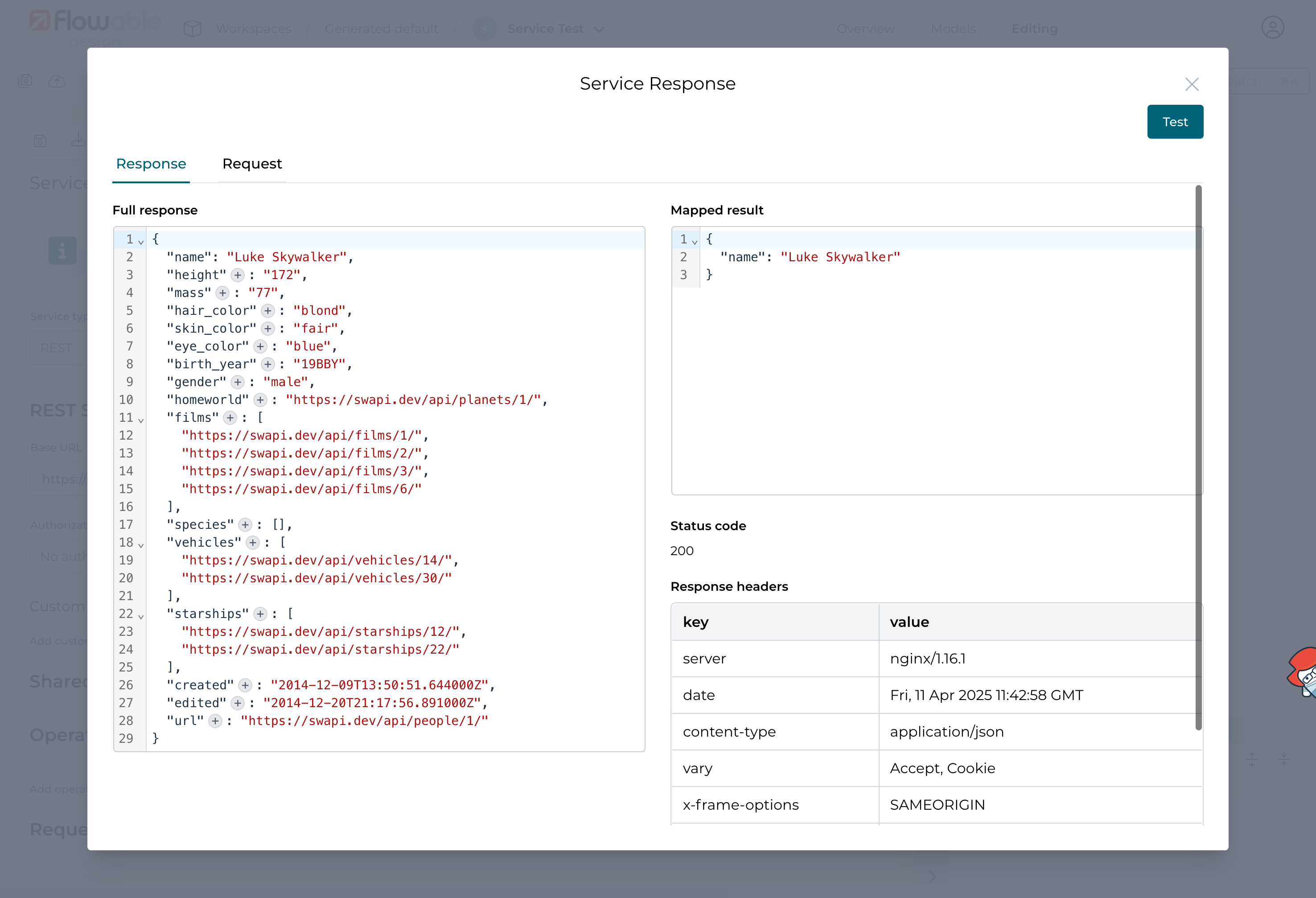
In the response tab the following information is available:
- Full response provided by the REST API.
- Mapped result, the full response mapped according to the configuration properties
- Status code returned by the service
- Response headers provided by the service
- Request body, as it was sent to the service
- Request method, the HTTP method in case applicable
- Request URL, the concatenated URL based on the base as well as the operation specific URL
- Request headers sent to the service
Unit tests
2026.1.0+The Test Operation dialog above runs a single, ad hoc request. To capture reusable, repeatable checks for a service, use unit tests. Unit tests for a service are shown on the service editor's Unit Tests tab and are grouped into test sets.
Unit tests use a different setup than the Test Operation above:
instead of the enable-service-test properties, they require Flowable Inspect testing to be enabled on both the Design and the Work side.
See Setting up Flowable Inspect testing for the full configuration.
Test sets are automatically discovered from the Test models that reference this service model. You create and edit those Test models from the model overview, and the resulting test sets then appear on the Unit Tests tab. The shared test-set concepts (what a test set is, how to enable testing, and the app-level test overview, import, export and publishing) are covered in the Model Testing overview.
The Unit Tests tab lists each test set and its tests in a table with the columns Name, Key, Status and Duration. You can Run all tests for the service, or Run this test for an individual test, and add tests with Add test definition or whole sets with Add test set.
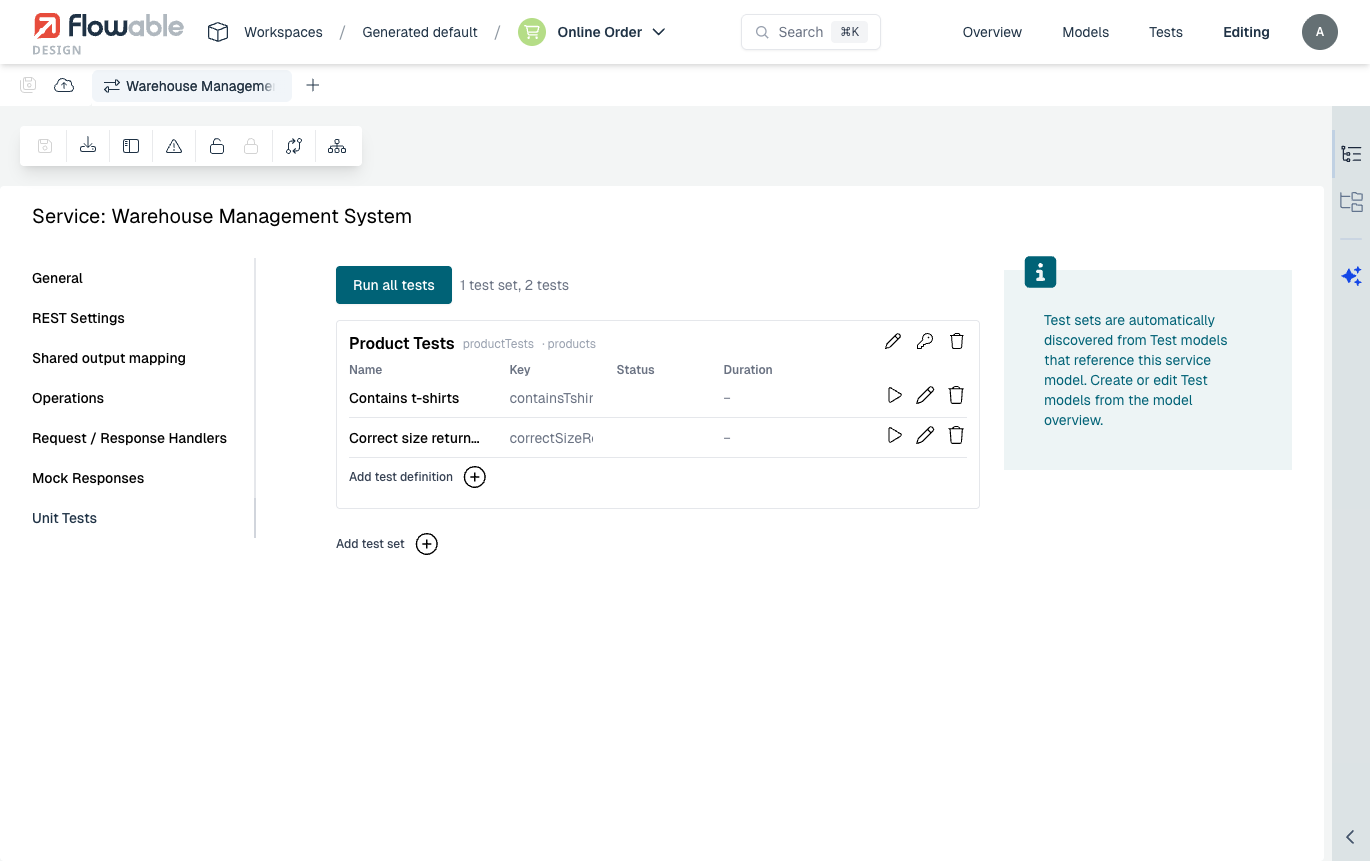
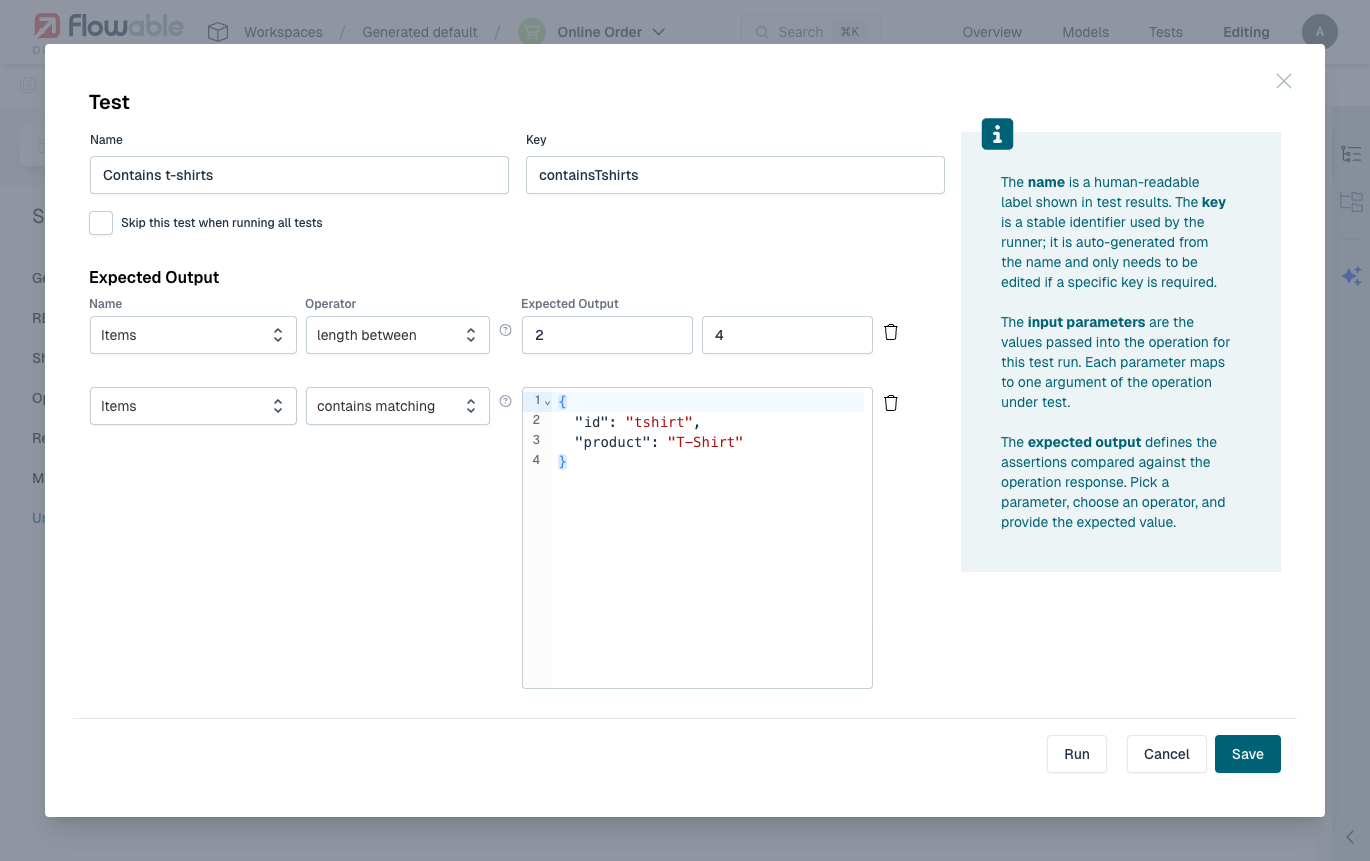
A single test is defined by:
- Name: a human-readable label shown in the test results.
- Key: a stable identifier used by the runner, auto-generated from the name.
- Skip this test when running all tests: keep the test but exclude it from a run-all.
- Input parameters: the values passed into the operation for this test run. Each parameter maps to one argument of the operation under test.
- Expected Output: one or more assertions compared against the operation response. For each assertion you pick a parameter, choose an operator (for example length between or contains matching), and provide the expected value. Use Add assertion to add more.
A service unit test always invokes the real operation and asserts on the live response, so it verifies that the service genuinely behaves as expected. (Mock responses, described below, are used when the service is called from another model's test, not by the service's own unit tests.)
Mock responses
2026.1.0+For REST-based services you can define mock responses. A mock response is a predefined result that is returned instead of calling the real REST endpoint, which makes it possible to test a model that uses the service without the external system being available, and to exercise specific success and error scenarios deterministically.
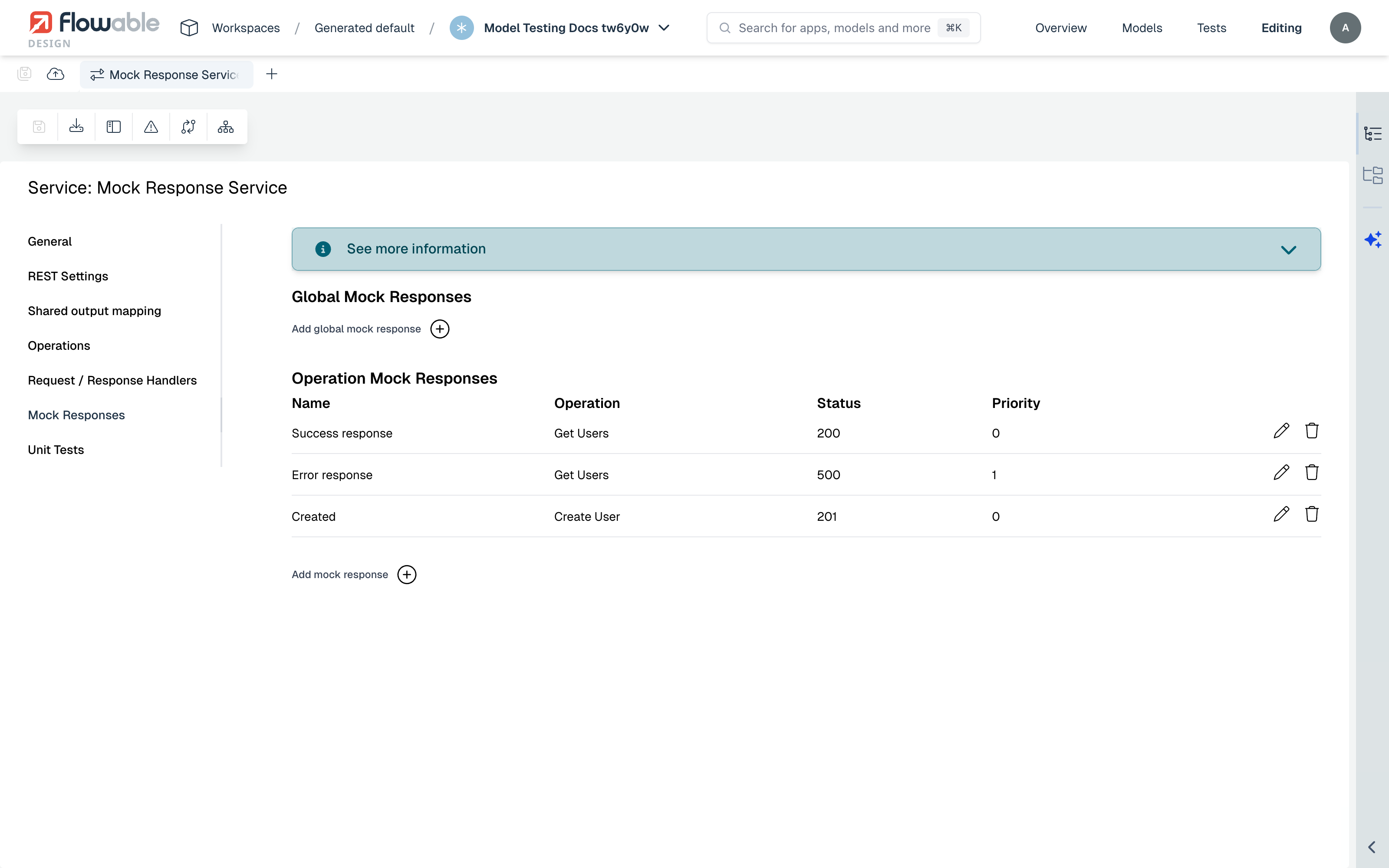
Mock responses are defined on the service editor's Mock Responses tab (not inside an individual operation), in two scopes:
- Global Mock Responses: apply across the service.
- Operation Mock Responses: bound to a specific operation.
Each mock response has the following fields:
- Operation: the operation the mock is bound to (for an operation-scoped mock).
- Name: a human-readable name for the mock response.
- Key: a stable identifier used to reference the mock response from a test, so it keeps working even if the name changes.
- Response type: either HTTP Response (a normal response with a status code and body) or Timeout Error (simulates the service not responding).
- Status code: the HTTP status code returned for an HTTP Response mock (for example
200or500). - Response body: the body returned by the mock, mapped according to the operation configuration just like a real response.
- Response headers: optional headers returned with the mock response.
- Match condition: an expression that decides when this mock applies.
- Sampling rate (0-100): the percentage of matching calls that receive this mock.
- Priority (lower = first): the order in which mocks are evaluated when several match.
Mock responses are not used by the service's own unit tests. They come into play when the service is invoked from within another model's test, for example when an AI Agent calls the service as a tool or guardrail. For how a test selects and applies these mocks (No mock, Auto, or a specific mock), see Testing AI Agents.